Your shipments' control documents, ready for the driver
DECAX generates the DeCA for every road shipment, reading your ERP's delivery notes or from shipments you enter on the dashboard. It's printed or carried on the driver's phone, with a QR code that always points to the current version.
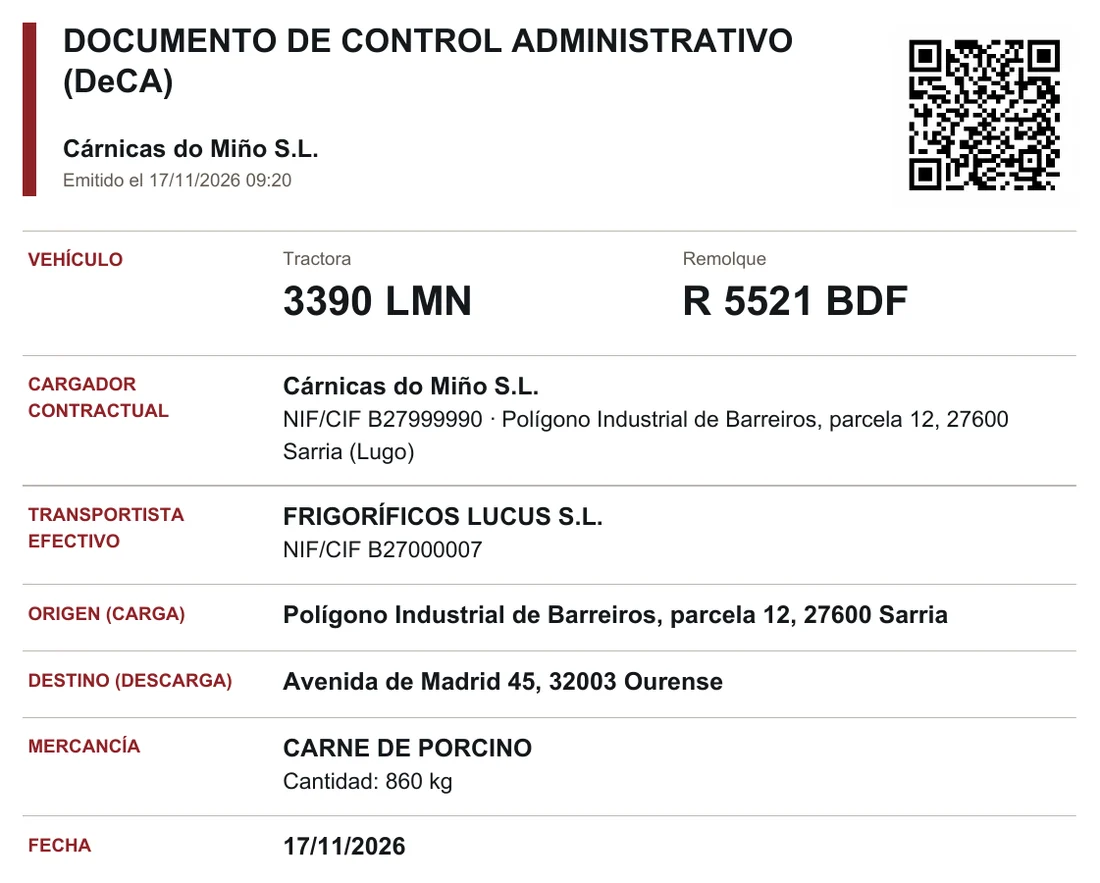
Sample data from a fictitious company.
The control document is now electronic
Since 5 October 2026, every road freight transport in Spain must carry its control document in electronic form. Typing it in by hand for each shipment costs the dispatch team hours, and leaving with an incomplete field can end in a fine.
If you work with an ERP, DECAX builds it from what it already holds: the usual delivery note and loading sheet. If not, you enter the shipment directly in DECAX.
How it works
You create the delivery note in your ERP, or enter the shipment in DECAX
With an ERP, DECAX picks it up on its own, with nothing to copy and no change to how you work. Without one, you fill in the shipment on the dashboard.
The shipment shows up on the dashboard with its status
Document issued, plate missing, data missing or completed: at a glance you know which truck can leave.
If something is missing, fix it from DECAX
The haulier's tax ID or the destination town are corrected in DECAX; if you work with an ERP, they stay corrected there too.
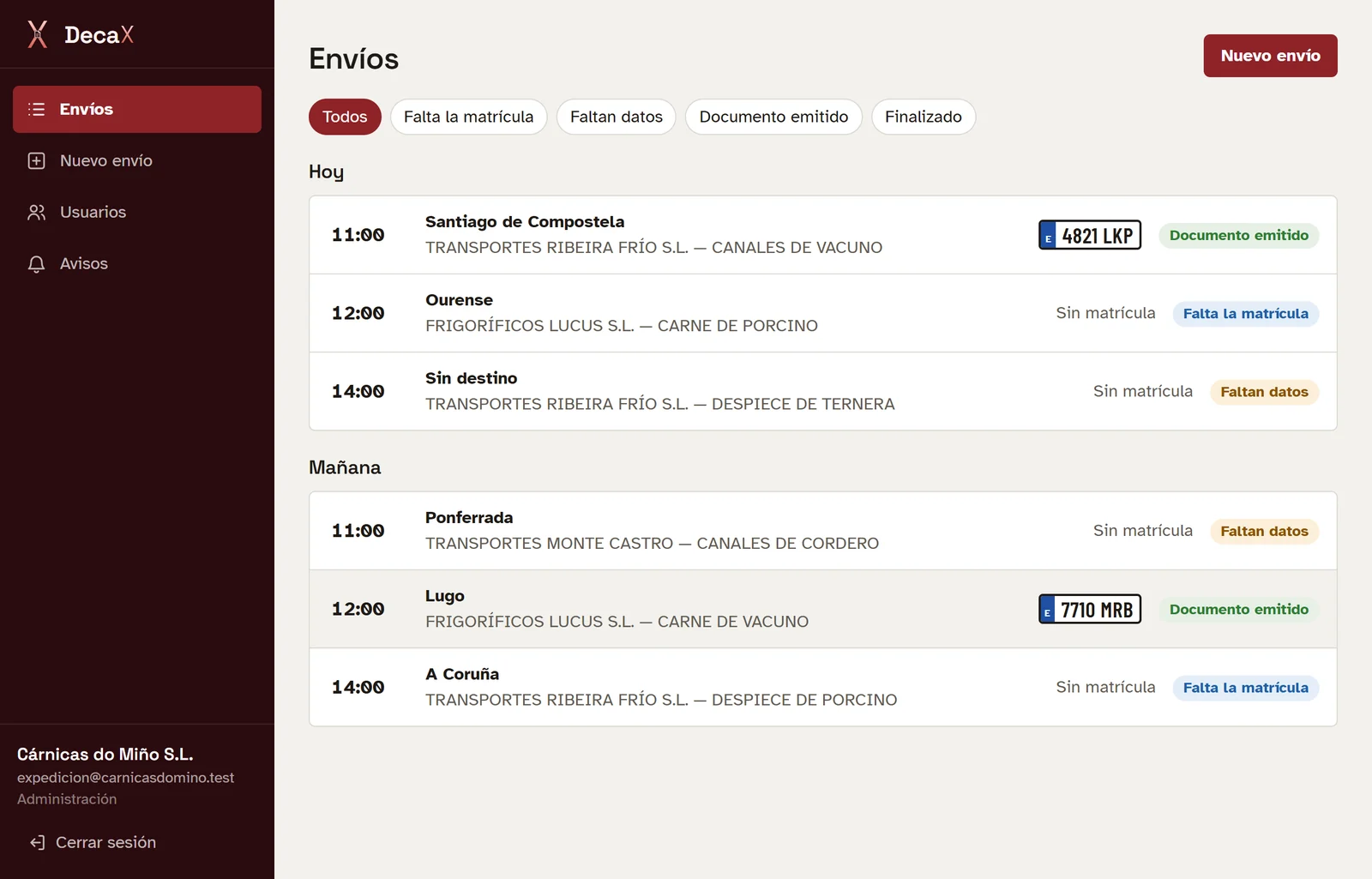
Shipments dashboard, each with its status
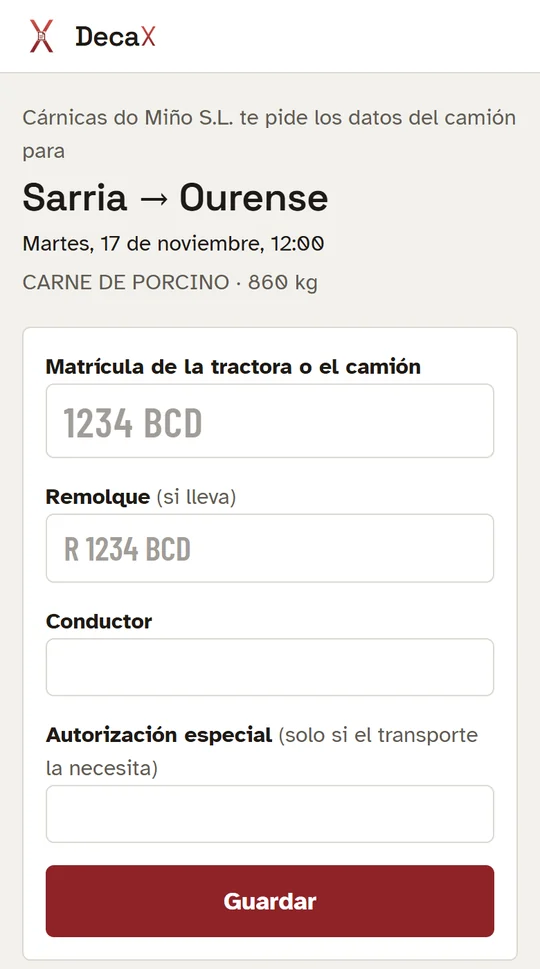
The haulier gets a link and types the plate
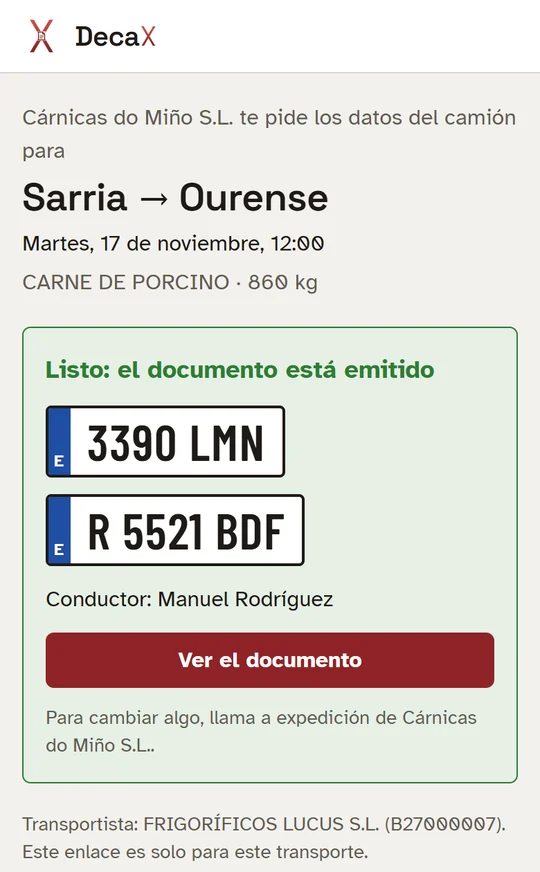
As soon as they do, the document is issued
The haulier enters the plate from their phone
They get a link by WhatsApp or email, open it, type the plate and that's it, no username or password.
The DeCA is issued with a QR code
Once the data is complete, the document is issued automatically. It's printed or carried on the driver's phone; inspectors scan the QR and see the current version.
If something changes, a new version
A different trailer or a corrected address creates a new version, and the QR always points to it. The day after departure, the shipment closes itself.
The DeCA the driver carries
What it does for you
- With or without an ERP
- Shipments arrive from the ERP on their own, or are entered by hand on the dashboard.
- Fixed at the source
- Missing or wrong data is corrected from DECAX and, if you have an ERP, saved there too.
- Plate from the phone
- The haulier enters it through a link and the document is issued automatically.
- QR always current
- With version history and what changed, struck through.
- Timely alerts
- It warns you if a shipment is about to leave without a document.
- Works offline too
- If the office connection drops, it still issues the DeCA and uploads it when the connection is back.
- From your own email
- The email to the haulier can be sent from your company's address.
- User roles
- Administration, dispatch and read-only.
With your ERP or without one
DECAX is a standalone product and doesn't need an ERP: shipments can be entered by hand on the dashboard. If you work with Innex, it works directly: Innex sends it the outbound shipments and gets the plate and the document back. With an ERP installed in your office, it connects through a small program installed there; ask us whether yours is compatible.
- Web dashboard, also on mobile
- Haulier page, on their phone
- ERP connection from your office (Windows), if you need it
Who it's for
Any company that ships goods by road, with or without an ERP. The first users are meat-cutting plants and slaughterhouses in Galicia.
How many documents do you type every day?
We'll show you DECAX in a 30-minute demo, with shipments like yours.